



Business leaders are right to be cautious of “smart technology.” All too often, it’s just buzzwords thrown into a sales pitch by someone trying to get you to buy something. Usually a product you already own with a computer slapped onto it.
However, real smart technology has been around for decades and serving some very important functions. And while you might think it’s nearly impossible to uncover real smart tech without an advanced engineering degree, that’s not the case.
We can put it succinctly, in just six words: Good smart technology creates new workflows.
It’s not the technological form; it’s the function that matters. Business leaders and other non-technical personnel should understand that to evaluate smart technology, all you have to do is identify the new operational workflows it creates or the existing ones it improves.
This article dives deep into how intelligent lockers work and how everyone, especially non-technical professionals, can easily understand what good smart tech looks like and how to fit it into your operations.
What Is a Smart Locker?
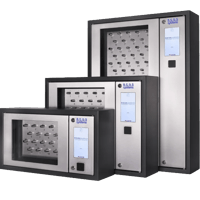
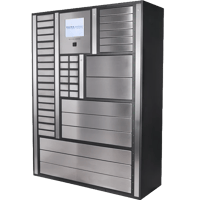
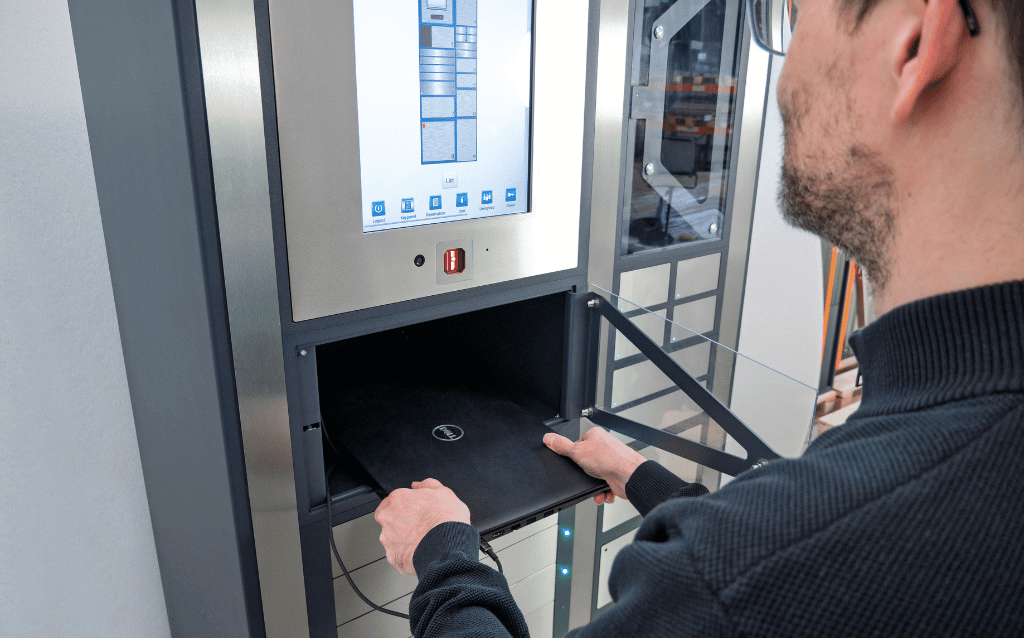
Smart technology brings decision-making capabilities into business and industrial equipment where you otherwise couldn't monitor work and respond. Smart lockers know what's inside them and who has accessed them, and automatically track that information for you.
They have embedded sensors that detect which individual assets come and go, and access controls that track users. Many smart lockers also have a control panel workers can use to log additional information when signing out or returning equipment. All these data streams feed into a central dashboard to monitor equipment use and automate processes around your equipment.
The Workflow Your Team Sees
Let’s look at what your workforce will experience when using a smart locker system.
Locker transaction process
- Employee authentication: Your employee authenticates themselves at the locker control panel.
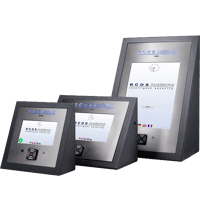
- Sign out: The locker system presents the employee with a list of the equipment they’re allowed to access and opens only the compartment for the items they select.
- Return: When they’re done using the equipment, they do the same process in reverse. They authenticate themselves at the panel, confirm the items they’re returning, log any issues when applicable, and return the equipment to its designated compartments.
The “smarts” are hidden
This is a vast improvement over manual equipment management. Instead of employees hunting through desk drawers or asking who last had a device, they can check one central system.
And, as you can also see, the transaction process is essentially the same as if you were using a mechanical storage system. Punch in a code or swipe a badge, take a device, lock the door.
The system handles all the intelligence and tracking automatically, so your employees don't have to think about it.
What’s Happening Under the Hood
Out of sight from your employees, your smart locker system is doing a lot of heavy lifting.
Access control
Most modern smart lockers can use the security method or methods of your choice. They support PIN codes at the lower end of the security spectrum, your own access badges, or, at the top end, biometrics like fingerprints or iris scans. You can also combine multiple access control methods for more secure Multi-factor Authentication (MFA).
The department and role affiliations you’ve defined for them in your integrated Identity and Access Management (IAM) IT systems can carry over to the locker system too.
Asset detection & tracking
Instead of relying on employee log notes, sensing technology inside the locker compartments verifies that equipment actually leaves and returns to the lockers. RFID scanners built into the compartment read the tags on equipment to confirm a transaction. Precision scales can measure the weight of items taken or returned down to the milligram. So if you want to store consumable materials, like ammunition, in a secure locker, the system will confirm how many individual rounds are returned at the end of a shift.
Logging & audit trails
The access control panel and embedded sensors are your data sources in a smart locker. Now we move to the features that help you operationalize that data.
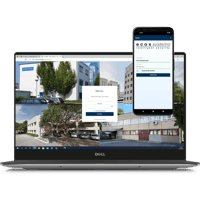
Everything your smart lockers log feeds into a centralized management dashboard, giving you a real-time, complete chain of custody for every stored asset, available when you need it. You’ll know who signed out which devices, when they returned them, and any issues they reported.
Even before we get to automation triggers, you can already see how valuable this data collection can be. It makes audit compliance for controlled materials easier. You can easily export it into business intelligence platforms to analyze utilization rates and broader usage and performance trends.
Automatically triggered operations
What separates smart tech from basic electronic tools is its ability to proactively manage your workflows on its own. A smart locker vendor can build different triggers into your locker’s software to automatically take different actions during the course of work. Here are a few common but powerful examples ecos systems helps deploy regularly
Unauthorized access attempts
If someone repeatedly tries to sign out equipment they’re not authorized to use, or signs out off shift when they shouldn’t need company equipment, the locker can deny the request and alert supervisors.
Late returns
Through your dashboard, you can set end-of-shift times or specific curfews on device sign-outs. For example, if your security detail signs out firearms, you might want a trigger to alert shift supervisors to any late returns so they can investigate immediately. This also helps with less-critical but expensive equipment. The sooner you start looking for a missing item, the more likely you are to recover it.
Device rotation
Since your lockers track items individually, they record when each was last used. You can use that data to rotate signouts to distribute wear and tear across your equipment fleet. For example, in warehouse settings, we often hear that workers like to reserve a “favourite” known-working device. That may make them feel better, but if you have 3 other handhelds sitting idle and running down their warranty, you’re not getting a great ROI from that procurement cycle.
Maintenance automation
You can combine the device-tracking and user-reporting features of smart lockers to create powerful, novel automated workflows. One of the most commonly applied is automated maintenance alerts.
You configure a prompt on the control panel that asks employees to log any issues when they sign out or return a device. Let’s say an employee reports a laptop having a cracked screen when they return from a trip. The smart locker can automatically remove that laptop from circulation so no one else signs it out. Then the locker sends an automated message to your service team to collect it for repair.
How to Find Smart Lockers that Fit Your Needs
A broad range of smart locker systems is on the market. Everything from bare-bones to ultra-premium systems. The highest-quality ones, regardless of price point, leverage their smart technology most effectively. As we’ve explored here, you can do many things with sensor technology and software-powered workflows.
It’s worth repeating: don’t choose lockers based solely on tech specs. Start with your operational requirements. Define those, and work backward to identify the locker system that fits. If it’s a quality system, the tech will stay firmly under the hood and meet these needs.
1. Define your access control needs
Does your organization already have a badge access system? Look for a smart locker system that can use it. Do you want higher security in certain locations or to protect certain assets? Then one of your requirements might need to be biometrics or multifactor authentication.
2. Define your tracking needs
Next, decide what level of tracking you need. It removes some of the smarts from a smart locker, but you can configure manual barcode scanning, where employees scan items they sign out or return at the control panel.
Other options include in-locker RFID and weight-detecting compartments with precision scales. Single-scan RFID will track one item per compartment. Multi-scan RFID is also available exclusively in ecos system lockers. This scanning technology can track multiple items at once, which can help you save space or manage items as predefined “kits.”
3. Define your integration needs
Decide which business systems it would be beneficial to connect your lockers to.
Some smart lockers let you integrate with your IAM directory services, so you only have to maintain a single employee record system for your business. Others can integrate with analytics software and enterprise management systems (ERP). ecos systems locker software has a powerful REST API, meaning it can integrate with almost all major business applications.
4. Work with IT to identify your ideal tech stack
This final step does get more technical. Work with your IT team to decide what infrastructure you want to use for your smart locker software. Fully local (on-premises) options still exist, but some modern locker systems, like those from ecos, can run securely in the cloud or use a “hybrid” IT deployment, with some software or data staying local depending on your regulatory needs and the rest in the cloud.
Design Workflows, Not Technology
If your locker system is truly smart, you shouldn’t have to focus on the tech. Design your locker system to be a physical hub for your workflows. Working backward from those business processes will help you define what technology you’ll need.
In this article, you learned about most of the major options. But there’s still plenty more you might want to know before you choose a locker for your organization.
Contact ecos systems today to get a full consultation on your own customized locker rollout.