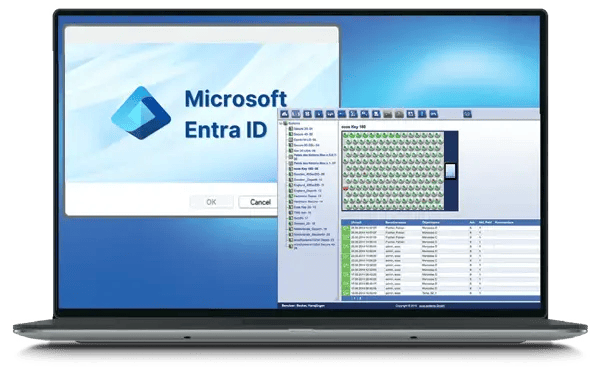
Microsoft Entra ID is Microsoft's cloud identity service for signing in to modern applications. The ecos integration keeps things simple: your people sign in to ecos with their Microsoft credentials, and their ecos account is created for them the first time they do — so there is one less password to manage and no set-up before someone can start.
GENERAL INTEGRATION
ecos uses Microsoft Entra ID for single sign-on with just-in-time provisioning. Rather than maintaining a continuously synced copy of your directory, ecos creates each user automatically at their first Entra ID sign-in, taking the details that identify them — name and e-mail — from the sign-in itself.
How it works
Connect ecos to your Microsoft Entra ID tenant for single sign-on, entering the connection details Microsoft requires.
A user signs in to ecos with their Microsoft credentials; on that first sign-in, their ecos account is created automatically.
From then on, they use the same Microsoft login, and access ends automatically when their Entra ID account is disabled.
Key Features
Single sign-on with Microsoft
Staff sign in to ecos with the Microsoft credentials they already use, so there is no extra password to issue, remember or reset.
Just-in-time provisioning at first sign-in
The ecos user account is created automatically the first time someone signs in through Entra ID, so nobody must be set up in advance for key or asset access.
Access tied to the Microsoft account
Because sign-in depends on Entra ID, a user's access is removed automatically once their Microsoft account is disabled, with nothing to clean up by hand.
One Microsoft login for your team — including ecos.
Give your people single sign-on to ecos with their Microsoft Entra ID credentials, with their ecos account created automatically the first time they sign in.