






7 min read

How to Move from Spreadsheets to Smart Key Systems Painlessly

How to Move from Spreadsheets to Smart Key Systems Painlessly

How to Recognize You’re at the Tipping Point

For years, your key-tracking spreadsheet, logbook, or pegboard has been good enough. But lately, you’ve felt “good enough” isn’t cutting it.

The truth is, most organizations don’t realize they’ve outgrown manual tracking until they experience a crisis—a security event, a failed inspection, even just a near-miss. It shouldn’t take reaching a tipping point like that to know it’s time to change. This guide covers everything you need to know to migrate to a key management system smoothly the first time.

5 signs your key tracking spreadsheet template has reached its limit

  1. You can’t answer “Who signed this out?” about a given key right now
  2. Audits require cross-checking across emails, spreadsheets, and paper logs
  3. You’re adding locations, employees, or asset types, and your process isn’t scaling
  4. New hires take days, or even weeks, to learn your processes and proper documentation
  5. Leadership is asking for real-time reports, which you can’t deliver

Why Good Organizations Stick with Bad Processes

Your team isn’t stuck using spreadsheets because they like managing the chaos. They’re sticking with a flawed system because changing the status quo feels too painful. The best way to change this mindset is through open communication.

Don’t dismiss your team’s concerns. Explain the problem from a 10,000-foot view.

How is the key management issue impacting the organization? How does that impact make their jobs harder?

Here are the concerns we hear most, and some perspective on how to address them.


“Our staff aren’t tech-savvy.”

Fear: Frontline employees, officers, or maintenance teams will struggle with a new system.
Reality: Modern key management systems have an intuitive, helpful design that any staff member can understand. If they can swipe their badge to access your office, they know everything they need to know to use a modern key system.

Logging in/out takes seconds. No typing, no menus, no training manuals. Most users are fully comfortable with a new system in 15 minutes.

“We’ve always done it this way.”

Fear: The current process feels like it’s working well enough, even if it is slow or error-prone. Who knows what the new system will be like?
Reality: You can keep your old systems running while you run a pilot program for a small group of keys. They could be ones for a smaller tech-savvy team that can help you champion a migration plan. Or they could be sensitive keys you want extra protection for right away, such as master and submaster keys. That lets reluctant team members see the new system in action first without feeling like their “safe” processes are being tossed out.

“We can’t justify the cost.”

Fear: Leadership sees this as a “nice-to-have,” not a valuable CapEx investment.
Reality: Reframe it as risk mitigation. Calculate your hidden costs:

  • Hours wasted searching = $X,000/year in lost labour
  • One lost master key = $X,000+ in rekeying
  • One compliance violation = $10,000+ in fines

“We don’t have time to transition.”

Fear: The migration process will disrupt operations so much that it will take weeks or months to recover operationally.
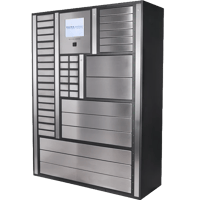
Reality: Modern key management systems, like those from ecos, are designed to get you up and running as fast as possible. You can install the cabinet hardware in minutes, usually without involving IT or facilities. Then you can import your existing key list and users in under an hour.

“I’ll lose my close control over keys.”

Fear: Moving to a shared system means losing personal, detailed oversight.
Reality: You gain more control with an automated, digital key system, not less. You can set up role-based permissions, meaning you decide who can check out what, when, and for how long, based on their job or department. You can also get real-time alerts for any issues with key transactions, detailed audit trails, and the ability to lock or unlock keys remotely. You can't get these capabilities from a key-tracking spreadsheet template.

“We tried a system before, but it didn't work for us.”

Fear: We’re still recovering from the headaches caused by a clunky, over-engineered key system.
Reality: Not all systems are alike, especially in the latest generation. For example, ecos is cloud-native, with simple, refined hardware systems. Support is included, so you can address any issues right away.

Building Your Migration Business Case

If you want your stakeholders to make a major investment in key management, you need to present a packaged solution. But not necessarily a solution to your problems (even though it is), but one that addresses theirs.

Finance sees cost. Operations sees chaos. IT sees complexity. Leadership sees risk. Here’s how to build a compelling, cross-functional proposal that speaks to all stakeholders.

1. Quantify Your Current Costs

Hard costs are easy to quantify, but much of the value in migrating to a key system comes from savings. So make sure you’re properly accounting for the costs of lost time and risk.

  • Labour costs: Track how many hours/week your team spends managing keys manually.
    Example: 4 hrs/week × $30/hr × 50 weeks = $6,000/year, just in one administrator’s time.
  • Incident cost: Estimate the cost of last year’s key-related issues (rekeying, delays searching for lost or missing keys, incident investigations).
  • Opportunity cost: How many work orders are delayed because a technician can’t find a key? The hours spent hunting for keys are hours you could be billing to customers instead. Lost opportunities.

2. Speak Their Language

Frame your proposal in terms different stakeholders will understand.

  • CFOs: They care about ROI. Frame your purchase as cost avoidance plus operational efficiency. For example, “This eliminates $X in recurring waste. It reduces rekeying costs by 80%.”
  • Operations: “Techs can get the right key in seconds every time, and we’ll know it. We won’t have days where they’re waiting 20 minutes for someone to find it in a desk drawer.” Focus on how automated key systems make every transaction uniform, collecting the same data and consistently performing every transaction.
  • Information Technology: Emphasize simplicity and security, especially if you’re advocating for a cloud-based system where the support burden is placed on the provider rather than your organization.
  • Leadership: Think strategic, long-term impact. Highlight efficiency and risk mitigation. For example, “What if a master key to our data center goes missing and we can’t prove who had it?”

3. Include Quick Wins to Build Momentum

Your proposal should address the value generated across the key system’s entire lifecycle. That means quantifying the longer-term benefits, but you also need to address shorter-term gains. For example:

  • Week 1: Goal of eliminating missing key searches
  • Month 1: Goal of passing the next audit with zero findings on asset control
  • Quarter 1: Goal of reducing shift start times by half with a clear, digital signout process

Pre-Migration Audit: Set yourself up for success

For a successful migration, start by mapping your desired outcome and working backward from there. By the time you get to the beginning, you should have a detailed list of everything you need to collect and audit.

Here’s how to do it right:

  1. Catalogue Every Key and Asset: Walk your facility. Check lockboxes, desks, vehicles, and shared drawers. List every key you need to track: master keys, cabinet keys, vehicle fobs.
  2. Identify All Users and Access Patterns: Do certain teams always take the same set of keys together? Do contractors need temporary, time-limited access?
  3. Document Processes—Official and Unofficial: Interview staff. You’ll likely uncover “shadow workflows,” such as the admin who keeps a personal log “just in case,” or the team that uses a second spreadsheet no one else knows about. These workarounds reveal pain points your new system must solve.
  4. Clean Your Data Before You Move It: Standardize naming (e.g., “North Building Master” vs. “NB-Master-Key”) and fill critical data gaps, such as missing serial numbers.

Key Management Best Practice: Use a Phased Implementation for Better Risk Mitigation

Performing a phased rollout can help integrate technology, processes, and people during what might otherwise be a chaotic transition.

Phase 1: Pilot Program (4-6 Weeks)

Start small. Pick one location or team to migrate first, while the rest stick with your existing processes. This gives you room to test without risking enterprise-wide disruption.

Choose one you expect to be of moderate complexity, something representative of the whole organization. You don’t want the pilot to be too easy or too difficult. 

During this phase, you should also address setup questions that spreadsheet-based processes never forced you to resolve:

  • How should you structure user groups? By job or location? Or some combination of both for more granular control? e.g., Drivers – North Shift, Maintenance – Overnight, Security – Building A.
  • How do you group your physical keys on fob keyrings? Do you want one key per fob in the key cabinet, or bundle multiple keys on one fob ring because they’re used by the same group or in the same workflow?

Phase 2: Gradual Expansion (2-3 Months)

Pause after the pilot and assess performance using your metrics and user feedback. For example, you could refine user permissions, adjust key groupings, or simplify onboarding steps.

Phase 3: Full Deployment (1-2 Months More)

You should now have a fairly refined process. Now you can confidently go organization-wide. Start by setting a date to sunset the old system. Then plan out completing the data migration.

Data Migrations: Planning makes migrations painless

Most vendors gloss over data migrations when selling you on their product, but how you move your data is key to whether your new system succeeds or stalls.

At ecos, we’ve helped thousands of teams migrate from legacy systems and homegrown spreadsheets. Here’s how to migrate cleanly, confidently, and without disruption.

1. Sanitize Data Before Migration

Garbage in, garbage out is the saying you’ve probably heard, and it applies here. Remove duplicate key and user entries from your records. Then standardize your naming conventions for both. 

2. Only Migrate What Matters

This applies to both users and keys. Archive any records for assets no longer in use. Don’t delete them outright; you can archive them, but don’t leave them cluttering up your new system either.

3. Maintain Continuity with Parallel Running

As we’ve already mentioned, running systems in parallel during a pilot has many benefits. It ensures continuity, allows you ample opportunity to test new systems, and it helps ease wary users into new processes.

4. Verify and Reconcile

After your import completes, run a physical inventory count against system records. Spot-check all your high-risk assets, like master keys. Confirm each user's permissions. Match job-based responsibilities to real-world roles.

5. Plan for Rollback Just in Case

Even the best-planned migrations can hit snags. Always back up your source data before migrations. Document your mapping rules from the old system to the new one so you can trace bugs back to the root cause. (e.g., “Column A = User ID, Column B = Key Name”).

Bonus Tip: Avoid Common Spreadsheet Migration Traps

  • Problem: “John Smith” vs. “J. Smith” vs. “Smith, John.”Are these three different users in your system, or duplicates for the same person?
    Fix: Standardize names before you import.
  • Problem: Keys listed by description only (“blue office key”) might get misidentified.
    Fix: Assign temporary barcodes or RFID tags during cleanup.
  • Problem: No distinction between key types (master vs. sub-master).
    Fix: Add a “Key Type” column in your import file.

Ready to Migrate Your Key System Without the Headaches?

The right time to migrate away from your old, clunky spreadsheet tracking is now. Don’t wait for a crisis to decide to switch. With just a little planning and organization, you too can move your organization to a more efficient, cost-effective key-tracking model.

Request a free consultation from ecos today and begin planning your migration with the key system experts.

How to Move from Spreadsheets to Smart Key Systems Painlessly

How to Move from Spreadsheets to Smart Key Systems Painlessly

How to Recognize You’re at the Tipping Point

Read More
The Hidden Cost of Warehouse Technology

The Hidden Cost of Warehouse Technology

Why Your Scanners, Headsets, and Smart Glasses Keep Disappearing Most warehouses that don’t have enough devices to go around aren’t actually...

Read More
Fleet Management Best Practices 2026

Fleet Management Best Practices 2026

A Fleet Manager’s Complete Guide: Including Optimized Vehicle Utilization, Smart Booking & Data-Driven Assignments The practice of fleet management...

Read More