




What Equipment Tracking Options Are There Beyond RFID?
Explore diverse equipment tracking options beyond RFID, ensuring you select solutions that align with your operational needs and risk management.
5 min read
When organizations decide to upgrade their asset storage lockers, we often hear that their primary goal is to improve staff accountability for equipment use. They want a clearer view of who has which devices, when they’re due to be returned, and to be notified of any issues as they arise.
But during the planning phase of their purchase, more often than not, one question will come up that they don’t realize could lead them to nullify the value of their smart system upgrade:
This question seems innocent enough and perfectly understandable. If your goal is better accountability, the answer to it is, “You can, but you shouldn’t.”
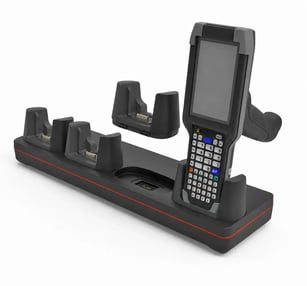
On the surface, the logic here seems sound. Your facility has already spent thousands of dollars on OEM multi-bay charging docks for your Zebra scanners or Motorola radios. Throwing those docks away feels wasteful. The fiscally responsible thing to do would be to mount those docks in a large locker compartment to avoid additional cabling or connectors.
However, this thinking falls victim to the "sunk cost" fallacy.
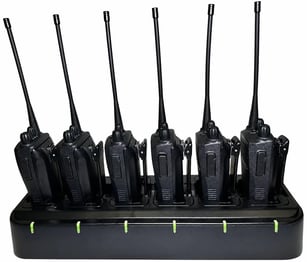
A standard 4-bay charger typically costs $50 to $100. In contrast, ruggedized Zebra scanners or Motorola radios, the assets you’re most likely trying to manage, often cost upwards of $2,500 each. Reusing multibay chargers prioritizes a less expensive accessory over generating the best possible operational efficiencies for your devices—the assets you actually care about managing.
To understand why multi-bay chargers don't work in this context, you have to think about what a smart locker system actually is and what it can do.
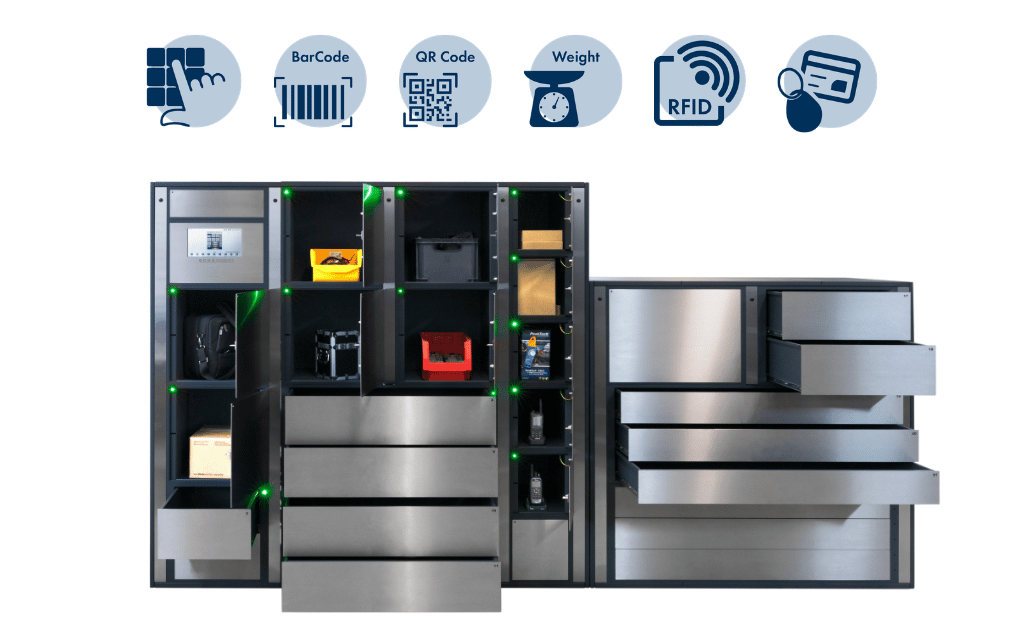
Smart lockers are not storage cabinets with electronic locks. They are computerized, automated, intelligent accountability systems for your devices. In a well-designed smart locker system, every design decision—from the software to the compartment size—was made to support the goal of 100% granular insights into device use.
Placing a multi-bay charger inside a locker compartment makes your devices less observable. The system can’t track them individually.
That means that by trying to repurpose a charging dock, you turn your intelligent asset management system back into a regular old storage cabinet. If your goal is to prevent equipment shrinkage, this does not help.
In a one-device-per-compartment system, the software records a precise event: "John Smith took Scanner #12 at 2:15 PM."
In a multi-bay setup, the software can only record a generic event: "John Smith accessed Locker 5."
When John opens that door, he has access to four different devices. He might grab one, swap a battery, or shuffle them around. If he takes a device and returns it broken, or doesn't return it at all, you have no digital proof of which specific unit he handled. Your system has all the intelligence necessary for state-of-the-art device tracking, but the multibay chargers are blocking it. They’ve stuck you with the accountability gaps of the old manual system.
Imagine a fleet of 20 Zebra MC9400 scanners (conservatively priced at $2,500 each), representing a total hardware investment of $50,000, in a typical warehouse environment.
If you place these 20 scanners into 5 lockers equipped with 4-bay chargers, you create a $50,000 blind spot. When a locker door opens, the system cannot see which specific scanner is taken or returned.
In this scenario, preserving the existing chargers saves the organization roughly $500 to $1,000 in new cabling costs. However, the cost of a single lost or stolen device immediately wipes out those savings.
 You Can’t Fix What You Can’t Find
 Beyond normal day-to-day shiftwork, reusing multi-bay chargers also bottlenecks maintenance and repairs.
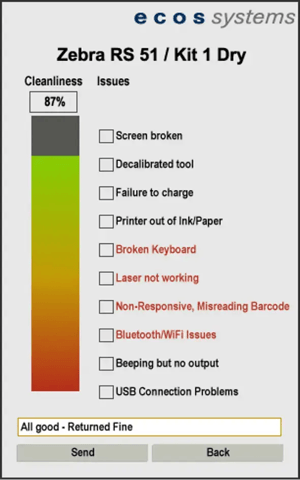
Consider a common scenario: A worker finishes their shift with Scanner #7, but notices it has a failing battery. They barely made it through their shift. In the expected smart locker workflow, they would return the device, tag it as "Damaged" on the touchscreen with a specific fault code, and the locker would lock that compartment to prevent further use.
But with a multi-bay charger inside the locker, this workflow falls apart. The worker opens the door and slides the broken scanner into one of four slots in the dock. Because the locker software cannot see which of the four slots holds the broken unit, it cannot isolate the device.
The next worker opens the same door 15 minutes later and, unknowingly, grabs the broken scanner. Either their productivity plummets while dealing with the battery, or they return it immediately, wasting time.
Even if the worker flags "Locker 5" as containing a broken device, the admin opens the door to find four identical scanners sitting in the bay. Without device-level identification, they have to test every unit to find the fault.
This is a big enough headache that some organizations try to mitigate the problem with manual rules, relying on workers to remember that "Scanner A goes in Slot 1, Scanner B in Slot 2".
In the real world, this breaks down quickly. During rushed shift changes, workers will typically just grab the first available device and return it to the first open slot.
The whole point of investing in smart lockers is to shift responsibility away from human memory and onto automated scanning systems that operate consistently. Modern asset management requires attaching maintenance notes and fault codes to specific digital identities. This is impossible when you can't reliably identify which device is which in a multi-bay setup.
A common counter-argument is: "Can't we just stick RFID tags on the devices and keep using the multi-bay charger?" It's technically possible, but the issue isn't the technology. All of the devices are available in the same compartment. So you'll know when someone takes or returns a device, but nothing prevents them from taking them all at once. It's not a technical problem; it's an accountability problem within a system that's designed to be an "accountability machine."
Our recommended asset tracking best practice is to assign one device per compartment. This fully leverages the capabilities of a smart locker system. It specifically improves three important functions you want in device management:
With one device per compartment, you can set up highly reliable RFID detection. Every transaction can connect a specific user to a device at a specific time. It creates highly granular levels of smart locker accountability. You can track utilization patterns, identify exactly who had a device when it went missing, and prove the chain of custody without the potential “cross-reading" errors that might crop up in multi-device storage arrangements.
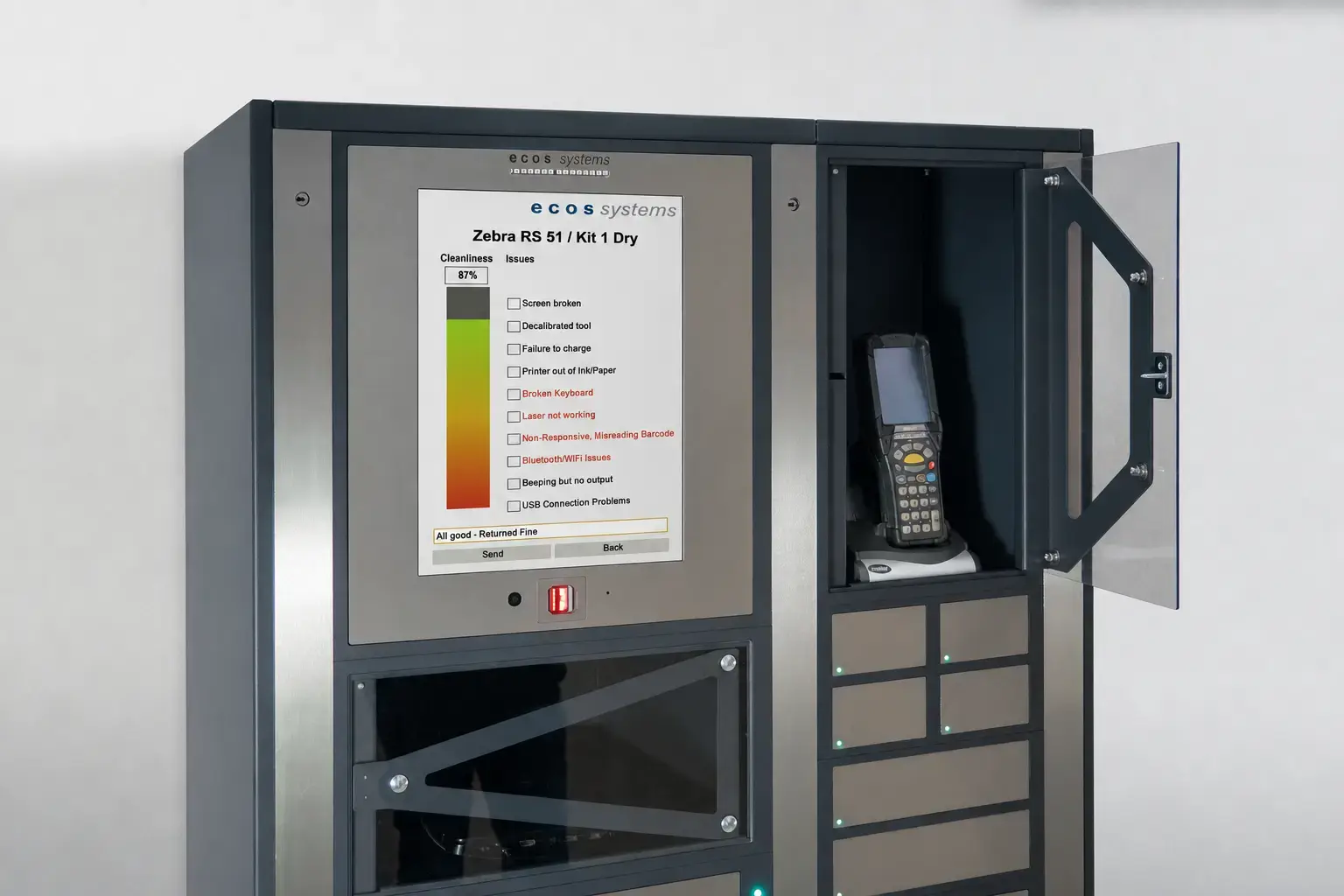
Instead of wasting storage space on OEM docks, ecos lockers let you charge devices directly via USB or standard wall outlets integrated into each compartment. Your teams can keep their devices charged and ready for the next shift without creating an accountability blind spot by using a shared dock.
Because the ecos system software knows exactly which device is in each compartment, users can easily flag issues directly on the ecos locker touchscreen. For example, if a worker returns a scanner with a cracked screen, they select the fault code on the locker touchscreen, and the device charging solution immediately removes that device from circulation.
While one device per compartment is the gold standard, there will obviously be situations where you’ll want to store multiple items together. For example, when workers need multiple secured items to start their shift—a radio, a headset, a scanner, and a spare battery. In these cases, when workers take everything at once, the solution is not to reintegrate a multi-bay charger, but to create kits in the smart locker system software. Each worker gets everything they need, and the system tracks the entire set.
ecos is currently the only manufacturer offering this advanced capability.
Ultimately, the decision to upgrade to smart lockers is about gaining control. It is about moving from a chaotic system of manual checks to a precise, automated system of accountability.
For most organizations, the math simply does not support reusing multidevice chargers. The cost of chargers is trivial compared to the operational cost of losing just one ruggedized scanner.
Choose the one-device-per-compartment model and get the full ROI your organization expects: total visibility, reduced shrinkage, and a chain of custody that actually holds up.
Explore diverse equipment tracking options beyond RFID, ensuring you select solutions that align with your operational needs and risk management.

Discover why external scanning in smart lockers can pose significant security risks and explore more secure alternatives for managing your assets
Unlock the hidden costs of asset management by understanding the mid-lifecycle black box with intelligent lockers for better equipment oversight.