




6 min read

The Hidden Vulnerabilities of External Scanning in Smart Locker Security

The Hidden Vulnerabilities of External Scanning in Smart Locker Security

Modern smart asset management systems often use external scanning to verify device sign-in and sign-out. Providers of these systems will tout their convenience and reliability. But that focus ignores a fundamental limitation of external verification: you don’t actually have verification that the device was returned. 

Let’s walk through the process. 

When someone returns a device to an asset management system using external scanning, they present the device’s radiofrequency identification (RFID) tag to an external scanner, which is typically mounted on or near the system. The scanner reads the tagged asset and logs it as returned. 

But the device isn’t secured yet. The user just verified it's near the storage system. 

At ecos, we call this the ‘verification gap,’ and it is often a critical blind spot in equipment and device management

The Verification Gap Creates Security and Operational Problems 

A system with external scanning can only verify that a device is present with the user near the management system at the time of authentication. It has no way to verify that the device was actually secured. This control gap can be a serious concern if you’re managing mission-critical or expensive equipment. 

A disgruntled or malicious employee, or even just a forgetful one, could log a device returned at your scanner and then fail to return it to storage. The verification gap could leave your organization exposed to a range of issues: 

    • Unexpected costs of replacing a lost device 

    • Work stoppages while employees search for the equipment they need in a dependent workflow 

    • Fraud

    • Or even industrial espionage

Bridging this gap often requires significant manual management, something you were probably hoping to avoid by procuring an automated smart management system. 

Manual Processes and Other Real-World Implications 

It’s hard to deny the convenience of external scanning. Still, if you’re considering purchasing a smart asset management system for your organization, it’s worth thinking about whether that convenience is worth the security risk. First, consider all of the real-world smart locker security implications you might face. 

    • Inventory Discrepancies: Over time, discrepancies in inventory will accumulate as users forget to return equipment after authenticating it. Soon, your team will be left performing manual inventories to confirm what is actually present, which is the manual workflow you probably wanted to avoid by using a smart management system. 

    • Breakdown in Chain of Custody: Another way to think about the verification gap is as a breakdown in the chain of custody. Your recordkeeping system may have an entry for someone handing over a device, but it never actually changed custody of the device. If you’re managing sensitive equipment where air-tight record-keeping is important, that may not be acceptable. 

    • Audit Compliance Failures: The lack of a reliable equipment tracking system can lead to compliance issues in certain industries or jurisdictions. 

    • Legal Liability: Thinking sensitive assets are secure when they’re unaccounted for might expose your organization to unacceptable legal liabilities. If a security breach occurs and it's discovered that your asset management systems provided inaccurate information, stakeholders might hold you legally responsible for losses and violations. 

Smart Locker Security Hidden Cost Analysis 

Most buyers want to start with an initial purchase price when evaluating asset management systems. This is understandable, but smart management systems are better approached as live, evolving services that will adapt with your organization over time. Therefore, return on investment (ROI) is a more suitable metric, especially an ROI framework that accounts for the indirect costs mitigated by effective asset management practices. 

Here are some potential hidden costs to consider: 

    • Administrative Overhead: As in our earlier example, if your system’s inventory tracking falls behind schedule, you’ll need to make up for it by manually inventorying. 

    • Costs of Security Incidents: Security breaches can be costly. First, the time out of normal operations to investigate, repair damage, and pay any regulatory fines and legal fees, on top of all that, is lost productivity while equipment is unavailable. 

    • Potential Regulatory Fines: Strong physical protection of devices that hold sensitive data is a common requirement in industries subject to strict regulatory compliance. For example, HIPAA and PCI DSS both require this. If your asset management system can accurately verify the secure return of these devices, it will be much easier to maintain compliance. 

    • Rising Insurance Premiums: Insurance providers may view known smart locker security limitations as higher risk, leading to higher premiums. 

So, you can compare two products that you think are at similar price points. But a little bit of investigation will often reveal that systems with robust physical verification, such as ecos systems' internal verification methods, will have a better ROI in the long run. 

Technical Comparison: External Scanning vs. Physical Verification 

Let’s dive deeper into the differences between external scanning and physical verification. 

External RFID Scanning: Verification by Proximity 

As discussed at the outset, these systems rely on RFID scanning, a short-range wireless standard commonly used for automated machine-to-machine communication. In our case, we verify the presence of an asset tag at a scanner outside the storage system. 

When a user presents a device with an attached RFID tag at the RFID scanner on the management system, the scanner reads the tag's ID and registers the device as "returned." But as we’ve pointed out, the system has only verified the presence of the RFID tag near the scanner. It has not been verified that the device is secured within the locker system. In other words, it’s verification by proximity only. 

Physical Detection (Internal Scanning): Verification by Presence 

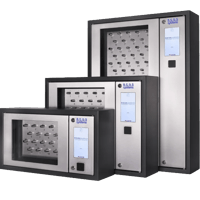
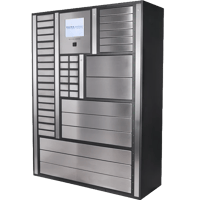
In contrast, ecos smart lockers operate on the principle of verification by presence. An asset isn’t verified returned until RFID sensors inside the flooring of the locker compartments confirm it’s secured in the locker system. In other words, unlike external scanners, ecosverifies the presence of an RFID tag within a locker compartment. The system won’t let the user complete a transaction unless they actually take or return the asset, ensuring 100 percent security. These ecos sensors are fast-acting, so a quick signout-and-grab transaction is fully recorded. All tracking and management run in the background, so your users never have to think about it. 

Evaluation Framework for Selecting an Asset Management System 

There are three pillars of a good asset management program you must assemble: your technology, your policies, and your training. Evaluate every asset management system on your shortlist against your needs in these three areas. 

First, your technology. 

Evaluating Asset Management System Technology 

If you’re serious about purchasing an asset management system, you should push beyond surface claims that a product offers electronic verification. How does it verify? What technologies? What process? 

Here are some practical steps every buying organization should take when evaluating which asset management system is best for their facility: 

Assess Integration Needs 

    • Access Control Integration: This is often the most important integration for organizations to review, as the controls they already use in their facilities can also be used to authenticate users, such as with smart lockers. 

    • Video Surveillance Integration: High-security settings may benefit from integrating video surveillance with their asset management system. For example, installing a camera near your lockers to monitor transactions can offer an added layer of verification. If video surveillance in that space isn’t possible, consider choosing an asset management system with integrated cameras

    • Alarm System Integration: Many smart management systems provide built-in alerting, such as SMS, email, or in the management software. However, in some high-security environments or with sensitive equipment, you can integrate your existing alarm system with your lockers. That way, your lockers can trigger alarms too if there is a security issue. 

Get Specifics 

    • Start with Technical Details: Request to see the technical specifications for software and hardware security features, which you can have your engineers review. Also, get details on the locker system’s tracking and logging capabilities. 

    • Get Live Demos: Most vendors should be able to provide live product demonstrations via video call. Request demos of the specific functions you need in your organization. 

Evaluate How Asset Management Systems Fit With Current Policies 

The second pillar of a good asset management program is policy. Combining the purchase of an asset management system with reliable policies prescribing its use will help you get the most out of your investment. 

    • Roles and Responsibilities: You’ll need to clearly define the different roles individuals fall into using your asset management system: users, supervisors, administrators, etc. You’ll also need to define the responsibilities of all those roles. 

    • Equipment Handling Procedures: Develop comprehensive policies outlining the proper procedures for checking out, using, and returning equipment. Define standard exceptions and any requirements for managing equipment during emergencies. 

    • Conduct Regular Policy Reviews: Periodically review your policies to see if any changes are necessary to accommodate new operational or security requirements. 

What Security Training Will You Need to Conduct? 

The third and final pillar is training. Remember, you should think in terms of ROI, as purchasing an asset management system is an investment in both security and productivity. That investment will go to waste if your people don’t know how to use it. Evaluate how easy each system is to use out of the box. What functions can staff perform without training? What essential functions will need formal training? 

Take Tighter Control of Your Equipment & Request a Personalized Assessment from ecos 

Are you worried about security gaps in your assets? Do you need more automated control and better accountability? Don't wait for a security incident to expose the risks in your current asset management processes. Request a personalized assessment from ecos systems specialists today

During your call, our experts will: 

    • Discuss your current equipment management practices and identify potential security gaps. 

    • Provide a personalized risk assessment tailored to your unique operational environment. 

    • Answer all your questions about establishing a secure and accountable asset management solution.